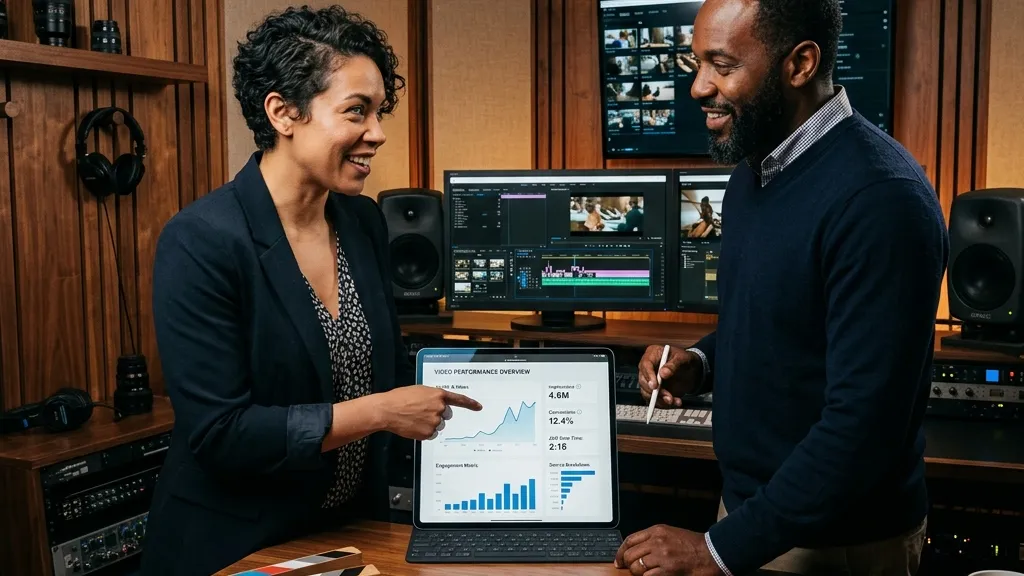
Beyond GA4: How to Track and Measure AI Search Traffic to Your Marketing Videos
As AI-driven search engines like ChatGPT, Claude, and Gemini start recommending video content directly to buyers, traditional analytics fail to track the referral source. Discover how to configure GA4 custom channel groups and regex filters to isolate AI traffic, build a video topical map to win more citations, and partner with Envy Creative to produce high-authority video campaigns.
The Mystery of the Unexplained Traffic Spike
A few months ago, I was sitting down with one of our long term B2B clients, a software company that sells complex supply chain management tools. They were looking at their monthly analytics dashboard with a mix of excitement and confusion. Their overall lead volume had jumped by twenty percent, and these new leads were highly qualified, asking specific questions about their platform features. But when they looked at the source of these conversions in their web analytics, the system pointed to a massive spike in direct traffic. There were no campaigns, no new social posts, and no major organic search keyword shifts that could explain it. It was like magic, a sudden influx of highly motivated buyers appearing out of thin air to watch their video demonstrations and fill out their forms.
It took some digging, but we finally uncovered the truth. A popular AI search assistant had started recommending their product videos. When users asked the AI how to solve complex logistics problems, the platform cited our client's video landing page as a primary source. The users clicked the link, watched the video, and signed up. But because of how modern web browsers and mobile apps handle traffic, the referral data was completely stripped, leaving our client's marketing team in the dark. This is the new reality of digital marketing. AI search engines are actively sending high intent buyers to your marketing videos, but if you do not know how to track them, you are missing out on the data needed to scale your campaigns.
Understanding the Dark Funnel of Generative AI Search
Traditional search engines like Google work on a simple click through model. A user types a query, sees a list of links, and clicks on one. This process passes clear referral data directly to your website. But AI search engines, often called Large Language Models, work differently. They read the web, synthesize the information, and present a conversational answer directly to the user. When they do cite a source or link a video, they often do so within an app or a chat interface that does not pass standard referrer headers. This creates a massive tracking gap, often referred to as dark traffic.
To make matters more challenging, many AI tools use zero click results. This means the user gets their answer without ever visiting your website. However, when a user is looking for complex services, they want visual proof. They want to see the product, meet the team, and understand the workflow. That is where marketing videos become incredibly valuable. An AI search engine might summarize your services, but it will link to your video to show the process in action. When a visitor does click through from an AI recommendation, they are highly qualified because the AI has already vetted your solution for them. This means tracking this traffic is critical to understanding the true return on investment of your video production efforts.
Building a Google Analytics Tracking System for AI Traffic
While standard configurations in Google Analytics do a poor job of identifying AI traffic, you can customize your setup to capture these visits. The first step is to create a Custom Channel Group. By default, Google Analytics lumps traffic from sites like ChatGPT, Claude, and Perplexity into the referral or direct channels. By creating a custom group, you can instruct the system to look for specific source domains and categorize them under a new channel called AI Search.
To do this, you will need to navigate to your admin settings and define rules based on the source of the traffic. You can use regular expressions, or regex, to capture all the different variations of AI platforms. A standard regex filter to isolate these domains looks for terms like chatgpt, openai, anthropic, claude, perplexity, gemini, and copilot. Once this channel is active, you can build custom reports in the Explorations tab to see exactly how many users are landing on your video pages from these sources. This gives you a clear, quantitative look at your AI referral growth over time.
Navigating the Zero Click Barrier with Video Topical Maps
Even with advanced analytics, you will still face the challenge of zero click searches where users see your brand cited but do not visit your site immediately. To measure this invisible influence, you need to monitor your brand's overall AI visibility. This involves conducting regular prompt sweeps. By manually querying the leading AI search assistants with questions your target buyers ask, you can see if your marketing videos are being recommended and cited in the chat results.
To win these citations in the first place, you must build what is known as a video topical map. This is a structured layout of video content that covers every possible question, pain point, and workflow in your industry. When you have a comprehensive library of professional videos, AI search crawlers are much more likely to index and recommend your brand. If you want to skip the technical headache and produce video content that these search engines naturally trust and recommend, you can start by collaborating with the video experts at Envy Creative to build a structured visual strategy that stands out.
Three Practical Tactics for Tracking AI Attribution
Beyond setting up custom channels, there are three practical tactics you can implement today to track how AI platforms send traffic to your marketing videos:
- Isolate your video landing pages: Create dedicated landing pages for your key marketing videos. If you only use these specific pages for your video content and do not run traditional search ads to them, any sudden spikes in direct or unclassified traffic can be safely attributed to AI search recommendations.
- Utilize Google Search Console for indexing: Monitor your impressions and clicks in the Google Search Console dashboard to see which of your video pages are being indexed and crawled by search bots. A rise in bot crawling activity often precedes a rise in AI recommendations.
- Implement self attribution forms: Sometimes the simplest solution is to just ask. Adding a single, open ended question to your lead capture forms, such as how did you hear about us, allows buyers to tell you directly if they found your video through an AI assistant.
Producing High Fidelity Content that AI Engines Trust
AI search engines are designed to provide the most accurate, helpful, and trustworthy information to their users. In a world flooded with cheap, AI generated text, high end video production acts as the ultimate trust validator. It is easy for a bot to generate a generic blog post, but it is impossible to fake a high quality, human led video demonstrating a real product on a real set. The algorithms that power AI search are trained to recognize this quality. They look at user engagement signals, such as how long a visitor stays on your page and watches your video, to determine if your site is an authority in your niche.
When you invest in cinematic video marketing, you are not just creating content for human buyers, you are feeding the search algorithms the high fidelity data they crave. A poorly produced video with robotic narration will drive users away, signaling to AI bots that your site is untrustworthy. On the other hand, polished, engaging videos keep users glued to your pages, boosting your topical authority and ensuring you remain the top recommendation. If you are ready to build a library of stunning, high converting videos that capture both human and AI search attention, you can connect with our production team at Envy Creative to discuss your custom video project today.